In my last post, I introduced the concept of an L-system (or Lindenmeyer system). An L-system is an alphabet of symbols, an axiom (which is a string of symbols from the alphabet) and a set of production rules that generate new strings from existing strings. We also talked about an alternative way to interpret the symbols in a string as commands to a graphics turtle and we used it to draw a fractal curve, or an approximation to a fractal curve.
This time, we’ll add some enhancements to the turtle to let us make some more interesting pictures.
Let us start with the second L-system I discussed in the last post
Alphabet: 0 1 [ ]
Axiom: 0
Production rules:
- 0 → 1[0]0
- 1 → 11
This L-system produces the following sequence
0
1[0]0
11[1[0]0]1[0]0
1111[11[1[0]0]1[0]0]11[1[0]0]1[0]0
and so on.
Let’s assign some turtle commands to each of the letters in the alphabet.
1 → pen down, move forward
0 → pen down, move forward
[ → turn left 45 degrees
] → turn right 45 degrees
This is quite similar to the example that draws the snowflake curve. In fact, in turtle terms, 0 and 1 are analogous to F and [ and ] are analogous to – and +, although the angle is different. Here is what it does with the first four strings above.


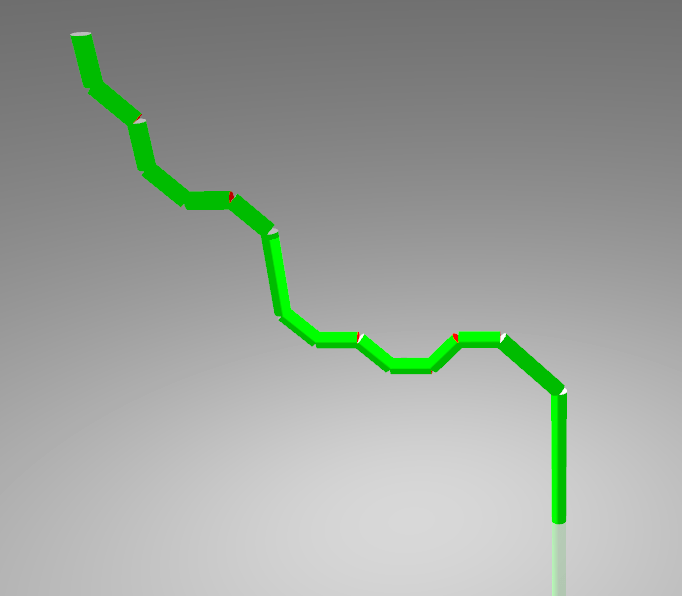
Not very exciting, so let’s add a new capability to the turtle: the ability to save its current state and restore it later. The push command tells the turtle to save its current state on a stack. That includes its position, orientation and whether its pen is up or down. The pop command restores the most recent save and removes it from the stack.
You’ll notice that the production rule for 0 introduce a matched pair of brackets and that repeated applications always produce a pattern of properly nested matched brackets. This makes the brackets good candidates for the use of push and pop respectively. We modify the turtle commands as follows.
1 → pen down, move forward
0 → pen down, move forward
[ → push the current state, then turn left 45 degrees
] → pop the saved state, then turn right 45 degrees
Let’s see what the first four strings look like now.


And here is the sixth iteration.

That’s looking quite nice. However, it is still a bit flat. I’ve got this nice 3D drawing kit and all the images are still two dimensional. If we change the view point in the above image a bit, it looks like this:

So, in the next instalment, we will enhance the turtle to give it some more freedom in the third dimension.
 Sincere Flattery